
You may wish to close a Red Hen Remote session that has become unresponsive, or that has been lost due to an Internet interruption or an incorrectly terminated session. To clear a disconnected session, log into http://www.redhenremote.com and launch the Clear Disconnected Sessions application:

The Clear Disconnected Sessions application launches a special script that traverses each Red Hen Remote server looking for sessions belonging to the logged in user. If sessions are located, you will be presented with a prompt that looks like this:
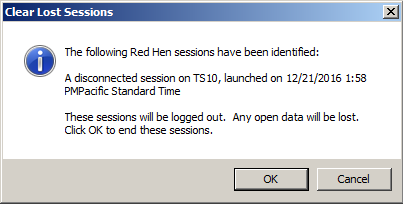
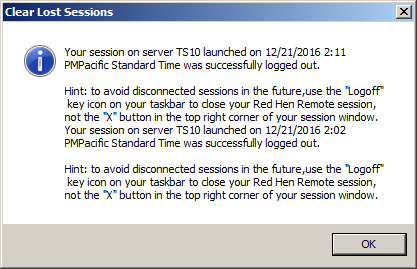
Click OK to close the session. You should see a confirmation message:
If you are still unable to login, please email support@redhenremote.zendesk.com for assistance.
Comments
0 comments
Please sign in to leave a comment.