
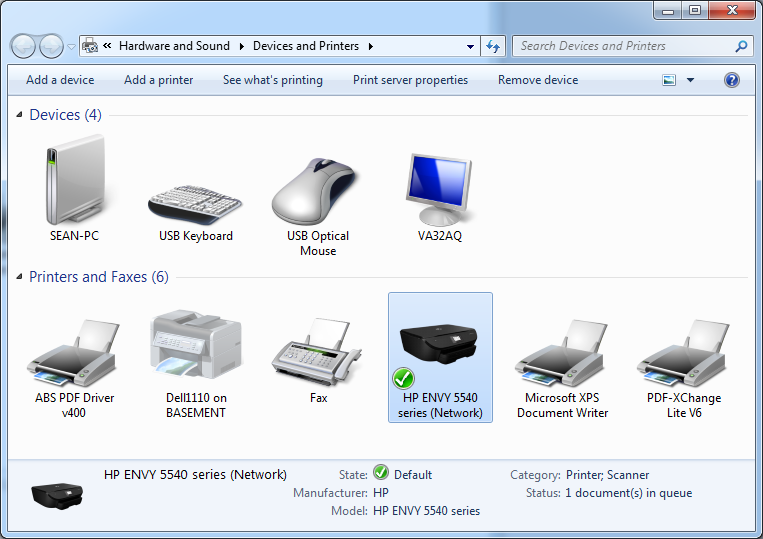
When you launch a Red Hen session, Citrix maps your local printers automatically and sets your local default printer as the default on Red Hen. Therefore, to set a default printer on Red Hen, just select your default printer locally and launch/relaunch your session:
1. Steps vary depending on what operating system you're logging in from, but Control Panel > Printers and Devices will typically display your local printers.
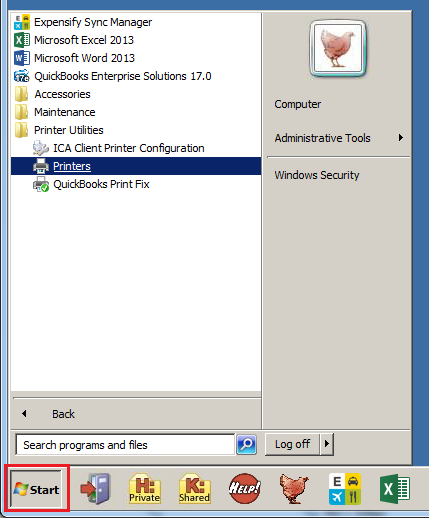
2. Once you're logged into your Red Hen Session, you can find the Printers folder in the Start menu: Start > Programs > Printer Utilities > Printers.
3. You should see that the default printer in Red Hen mirrors your local default printer.
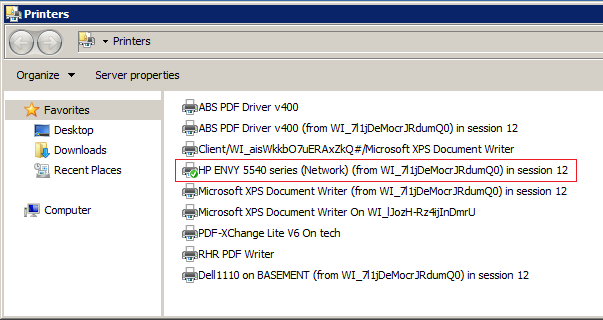
Once you have established a default printer in Red Hen Windows, it should show as the default printer in your Red Hen applications, including Quickbooks.
Comments
0 comments
Please sign in to leave a comment.