
Problem: QuickBooks regularly prompts me to backup my files when I close them. How do I disable this prompt?
Solution: disable prompts by configuring backup Options on a file by file basis within QuickBooks.
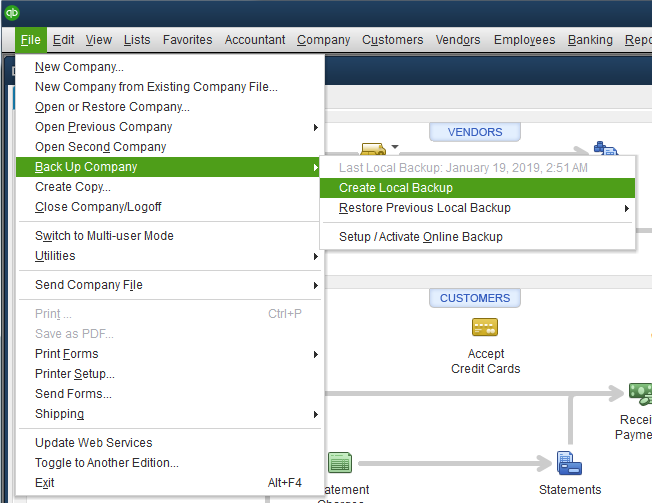
1. Select File > Back Up Company > Create Local Backup
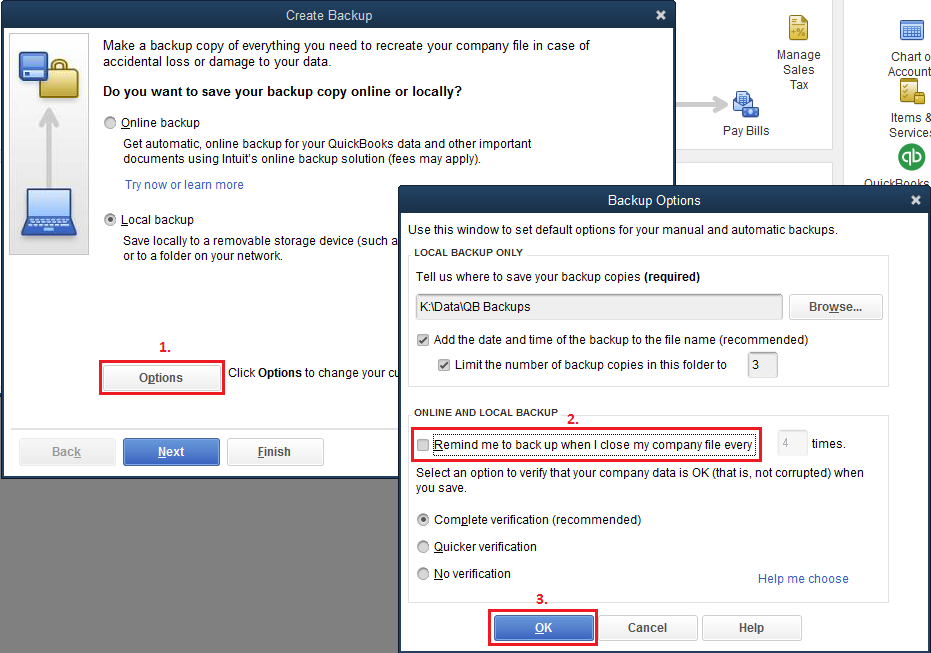
2. Click Options and uncheck Remind me to back up when I close my company file every and click OK.
3. Click X to close the Create Backup dialog.
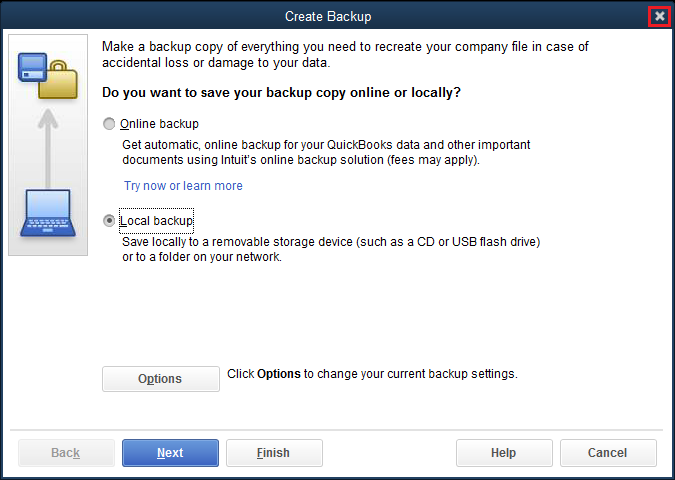
You should no longer be prompted to backup this data file.
Please note: while Red Hen Remote backs up all your data six night a week and stores it for a month, we do recommend backing up your files with the Complete Verification option every few months. The backup process checks your data for errors and helps to maintain healthy data files. Please see How and why should I verify my QuickBooks file(s)? for more details.
Comments
0 comments
Please sign in to leave a comment.