
Problem: When you send or print QuickBooks forms, you receive an error or the resulting image is cut in half or disproportional.
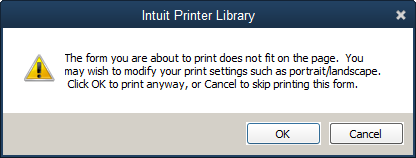
Cause: in many cases a corrupt QuickBooks printer configuration file may be causing the program to format documents and emails incorrectly.
Solution: You can reset your QuickBooks printer configuration by running the QB Printer Fix from the Red Hen Start menu (Start > Programs > Printer Utilities > QuickBooks Print Fix).
- Close QuickBooks.
- Double-click on the QuickBooks Print Fix icon and Open the file if you are prompted by a security warning.
- Click OK when the printer settings have been cleared.
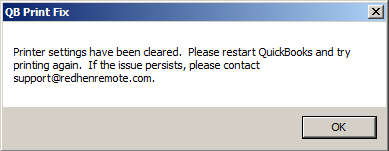
- Restart QuickBooks and test printing/emailing again. Contact support@redhenremote.com if the problem persists.
Comments
0 comments
Please sign in to leave a comment.